Reviews
Halloween Creature Match is a charming memory puzzle game that offers a lighthearted Halloween experience. The friendly creature designs and simple gameplay make it easy for anyone to pick up and enjoy. It is free, requires no download, and works smoothly on both desktop and mobile devices. A great way to pass the time while boosting your memory.
About this game
Game Introduction
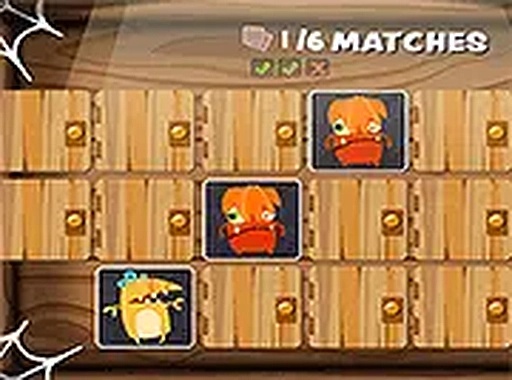
Halloween Creature Match Memory Puzzle Game is a delightful memory card game set in a playful Halloween theme. The game challenges players to find matching pairs of cards featuring friendly zombies, ghosts, and other spooky creatures. It is designed to be simple yet engaging, making it perfect for all ages. The objective is to memorize the positions of the cards and match them according to the target, whether it is two or three pairs. With its vibrant graphics and lighthearted atmosphere, this game offers a fun way to sharpen your memory while enjoying the Halloween spirit. Best of all, it runs directly in your browser without any downloads, and it is completely free to play. Whether you are on a desktop or mobile device, you can start playing right away and enjoy a seamless gaming experience.
How to Play
Playing Halloween Creature Match is easy and intuitive. Start by clicking on a card to reveal the Halloween creature hidden underneath. Then, click on another card to see if it matches the first one. If the two cards show the same creature, they remain face up, and you have made a successful match. If they do not match, they will flip back over after a brief moment, so you need to remember their positions. The game may require you to match two or three pairs to progress. Continue flipping and matching until all pairs are found. The game tracks your progress, and you can play through the entire game to win. It is a great way to improve your memory skills in a fun, spooky setting.
Game Features
Fun Halloween theme, memory challenge, free to play, no download needed, mobile and desktop support.
Tips for Success
To improve your memory skills, try to focus on the positions of the cards as they are flipped. Start by memorizing the locations of a few cards at a time, and then gradually expand your focus. Playing regularly can help sharpen your recall abilities. Also, take your time—there is no rush, so you can think carefully before making a match. If you find the game challenging, try playing with fewer pairs initially to build your confidence.
Compatibility
✅ Works on PC & Mobile | Recommended: Chrome / Safari / Edge
Advertisement
Faq
Is this game suitable for children?
Yes, the game is designed for all ages. The Halloween theme features friendly creatures like zombies and ghosts, making it appropriate for children. The simple memory matching mechanics are easy to learn, and the game does not contain any scary or violent content.
Do I need to create an account to play?
No account is required. The game runs directly in your browser without any downloads or sign-ups. You can start playing immediately by visiting the game page on your desktop or mobile device.
Can I play this game offline?
The game is designed to run in a browser, so an internet connection is typically needed to load it. Once loaded, some browser-based games may work offline, but this depends on the game's implementation. For the best experience, we recommend staying online.
How many levels are in the game?
The exact number of levels is not specified, but the game may include multiple rounds where you need to match two or three pairs. As you progress, the challenge may increase, but the game remains simple and enjoyable.
Is there a time limit for each round?
No time limit is mentioned. The game focuses on memory and concentration, so you can take as much time as you need to find the matching pairs. This makes it a relaxing and stress-free experience.
Can I play this game on a tablet?
Yes, the game supports both desktop and mobile devices, including tablets. The touch-friendly interface allows you to tap cards easily, ensuring a smooth experience on any screen size.