Reviews
Tetrisweeper successfully merges the core mechanics of Tetris and Minesweeper into a single engaging experience. The controls are responsive and intuitive. Each game feels different due to random piece sequences and mine placements. This creates high replayability. The learning curve is gentle, but mastering the dual focus of line clearing and mine avoidance takes practice. It is a clean, well-designed puzzle game that respects your time and intelligence. Suitable for all ages.
About this game
Game Introduction
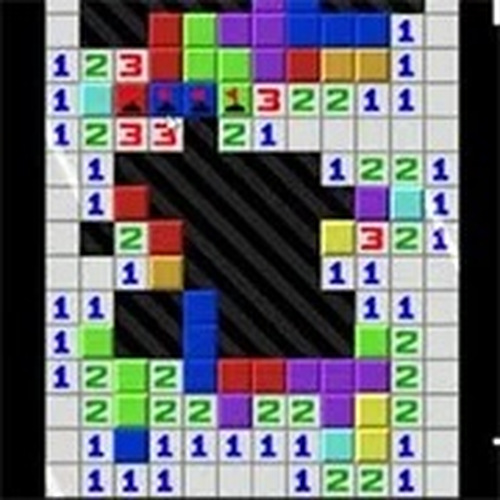
Tetrisweeper is a creative fusion of two classic puzzle games: Tetris and Minesweeper. In this unique online game, you control falling blocks while navigating a minefield. Your goal is to clear lines by arranging Tetris pieces, but each move also affects a hidden grid of mines. Reveal safe tiles and flag dangers to score points. The game offers a fresh challenge for fans of both genres, with simple controls and endless fun. All content is safe for players of all ages, with no violence or inappropriate themes. Enjoy the thrill of puzzle-solving in a family-friendly environment.
How to Play
Use the keyboard to move Tetris pieces left or right with the A and D keys. Rotate them clockwise with the W, X, or E keys, and counter-clockwise with Ctrl, Z, or Q. Soft drop pieces with the S key, and hard drop them with the Space bar or Enter key. Hold a piece using Shift, C, or H. Pause the game with Escape, and restart with F5. For the Minesweeper part, left-click to reveal a tile, right-click to flag a mine, and middle-click to mark a question. Chord by clicking left and right or middle click together. Clear lines and reveal all safe tiles to win. The game combines strategy and quick thinking for a rewarding experience.
Game Features
Unique blend of Tetris and Minesweeper gameplay. Simple keyboard and mouse controls. Family-friendly content with no violence. Endless replayability with random piece and mine layouts. Score tracking for personal improvement.
Tips for Success
To excel at Tetrisweeper, practice coordinating your block movements with minefield awareness. Focus on clearing lines efficiently while keeping an eye on the mine grid. Use the hold feature to save pieces for later strategic placement. Take your time with mine reveals, as rushing may lead to mistakes. Regular practice will improve your spatial reasoning and memory, making each session more rewarding.
Compatibility
â–¸ Desktop: Chrome / Edge / Firefox / Safari
â–¸ Mobile: iOS Safari / Android Chrome
â–¸ Tablet: iPadOS Safari / Android Tablet Browser
Keep your browser updated for the best experience
Advertisement
Faq
Is Tetrisweeper free to play?
The game is described as an online puzzle game, and many such games are free to play with optional ads or in-game purchases. However, the specific pricing model is not stated, so it may vary by platform. Check the game's official page for details.
Can I play Tetrisweeper on mobile devices?
The game is designed for keyboard and mouse controls, which suggests it is primarily for desktop or laptop computers. Some online puzzle games are also available on mobile, but this is not confirmed. Look for a mobile version on app stores.
Does Tetrisweeper have different difficulty levels?
The game features random piece and mine layouts, which naturally provide varying challenge. Difficulty levels are not explicitly mentioned, but players may find the game progressively harder as they improve. Some puzzle games include adjustable settings, but this is not specified.
How long does a typical game session last?
Tetrisweeper offers endless replayability, so session length depends on your playstyle. A quick game might last a few minutes, while longer sessions can extend for 20 minutes or more. The game is suitable for both short breaks and extended play.
Are there any leaderboards or competitive features?
The game includes score tracking for personal improvement, but leaderboards or multiplayer modes are not mentioned. Competitive features may be added in updates or on certain platforms. Check the game's community pages for more information.
What should I do if I encounter a bug or glitch?
If you experience a bug, try restarting the game with F5 or refreshing the page. For persistent issues, contact the game's support team or check online forums for solutions. Many puzzle games have active communities that can help troubleshoot problems.