 KnightJewel Hub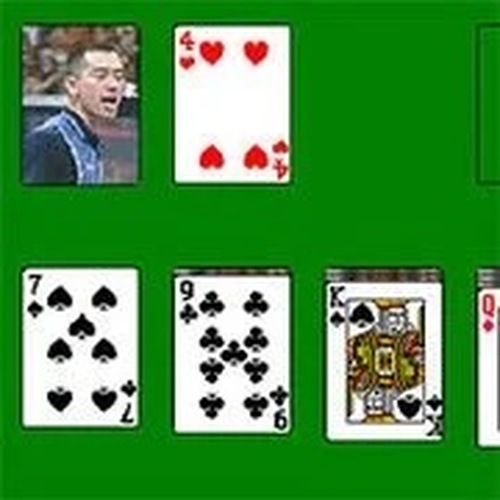
Solitaire Classic Card Puzzle
Reviews
Solitaire Classic Card Puzzle offers a faithful adaptation of the classic card game. The clean interface and smooth animations make each move satisfying. It is perfect for casual play, with no time limit and simple controls. The game is family-friendly and suitable for all ages, providing a quiet mental challenge without pressure. Highly recommended for fans of traditional card games.
About This Game
Game Introduction
Solitaire Classic Card Puzzle brings the timeless appeal of classic solitaire to your screen. The game uses a standard 52-card deck, with the goal of moving all cards to four foundation piles sorted by suit from Ace to King. Players arrange cards on the tableau in descending order and alternating colors. The clean interface and smooth animations make each move satisfying. This game is designed for anyone who enjoys traditional card games, offering a quiet mental challenge without pressure. Whether you have a few minutes or an hour, Solitaire Classic Card Puzzle provides a consistent and enjoyable experience. It respects the original rules, ensuring that fans of physical solitaire feel right at home. The game is family-friendly and suitable for all skill levels, making it a reliable choice for casual play.
How to Play
To start, deal the cards into seven columns. The first column has one card, the second has two, and so on, with only the top card facing up. Move cards between columns by clicking to select and then clicking a valid destination. Build sequences in descending order and alternate colors. Use the stock pile to draw new cards when stuck. The undo feature helps correct mistakes. The game ends when all cards are in the foundation piles. Patience and careful planning lead to success.
Game Features
The game features classic solitaire rules, simple point-and-click controls, and a relaxing pace. It is designed to be family-friendly and accessible on any device. The interface is clean and uncluttered, focusing on the gameplay. There is no time limit, allowing players to think through each move. The game includes a shuffle option for a fresh start.
Tips for Success
Focus on uncovering face-down cards early to increase your options. Prioritize moves that free up tableau columns, as empty columns can be valuable. Use the undo feature to explore different sequences without penalty. Avoid moving cards from the foundation piles back to the tableau unless necessary. Practice regularly to recognize patterns and improve your decision-making speed.






Comments
0 comments